99 bottles of beer on the wall, 99 bottles of beer.
Take one down and pass it around, 98 bottles of beer on the wall.

98 bottles of beer on the wall, 98 bottles of beer.
Take one down and pass it around, 97 bottles of beer on the wall.

....

2 bottles of beer on the wall, 2 bottles of beer.
Take one down and pass it around, 1 bottle of beer on the wall.

1 bottle of beer on the wall, 1 bottle of beer.
Go to the store and buy some more, 99 bottles of beer on the wall.
Updated on Oct 11, 2023: Just saw a Wolfenstein implementation with 600 line Gawk code, a 3D game in Text mode, though will feel dizzy when playing. Reference: https://hackaday.com/2016/01/15/wolfenstein-in-600-lines-of-code/:
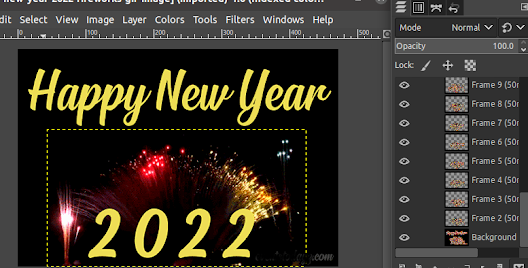
新年到,微信同学群大家发了一堆video和GIF动图,我不甘落后,可一时也没这么可show的,于是网上现抓,可稍好看点的都有水印,怎么办?祭出开源的PhotoShop编辑器:GIMP。网上的图可能有版权(copyright),如下例用到的,我找不到license信息(Had tried to check the site showed in the bottom of the image, but not able to access that URL. Please let me know if anybody seeing concern about this. Thanks in advance)。这里只是简单介绍怎样用GIMP快速编辑图,应该不是问题。
如果像上图中所有的Optional都清空,只需要2.66GB的空间,可以运行msbuild命令,但是不能运行nmake。运行环境setup通常会看到:'C:\Program' is not recognized as an internal or external command, operable program or batch file. 一方面是空格引起的错误,另一方面环境设置文件如vcvars64.bat并未安装。参见微软文档,需要安装至少一个build环境,如上图的最新MSVC v143 - VS2022 C++ x64/x86 build t..,会额外增加1.6GB的空间。这样环境设置批处理文件都会被安装,不过运行时还会看到The system cannot find the file specified,应该可以忽略。现在可以运行nmake了,需要修改Makefile加入nmake setting,另一个选项是用CMake生成新Makefile。
fatal error C1083: Cannot open include file: 'stddef.h': No such file or directory
网上一查,Introducing the Universal CRT http://blogs.msdn.com/b/vcblog/archive/2015/03/03/introducing-the-universal-crt.aspx: "Theheaders, sources, and libraries arenow distributed as part of a separate Universal CRT SDK. This SDK is included with Visual Studio; it is installed by default toC:\Program Files (x86)\Windows Kits\10."。看来还是必须安装Windows SDK,最新的Windows 11 SDK, another 2.27GB。装了Windows Kits(SDK)后,至少微软的CMake Tools可以成功生产build file。
@Update on Dec 29, 2021: 一番折腾后终于搞定CMake, 虽然不够完美。CMakeLists.txt文件已经push到forked的Tanks。上面提到的下载的SDL库和头文件要重新安排目录结构,排成和Linux的一样,就不需要改动任何源程序了,然后把所有的SDL文件放在根目录下SDL子目录,这样Makefile就可以用相对目录了。用CMake/NMake build:


 Posts
Posts